
Download IllostrationAI – AI-Powered Illustration Tool for Designers & Artists
IllostrationAI is a cutting-edge web-based illustration tool that harnesses artificial intelligence to help designers, illustrators, and creative professionals generate stunning visuals in seconds. This innovative software transforms simple text prompts into high-quality illustrations across a wide range of artistic styles, including 3D rendering, vector art, low poly, Pixar-style animation, and pixel art. Whether you're working on a branding project, game asset, or digital artwork, IllostrationAI simplifies the creative process with intuitive AI-driven tools.
With features like background removal, customizable backgrounds, AI upscaling, and batch creation, it’s ideal for both beginners and experienced artists. The platform also integrates seamlessly with Figma via a dedicated plugin, allowing users to generate and edit illustrations directly within their design workflow. Currently in public beta, IllostrationAI offers early access through a waiting list, with a full version license available for purchase.
Designed for speed, precision, and creative freedom, this AI illustration software is a must-have for modern digital creators.
AI-Driven Illustration Creation Made Simple
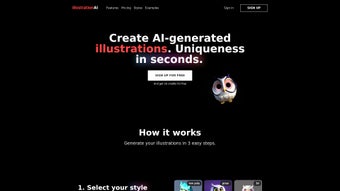
IllostrationAI redefines how illustrators and designers approach visual content creation. Instead of spending hours sketching or sourcing assets, users can now generate unique illustrations in just three straightforward steps. First, describe the object or scene you want to visualize using natural language—whether it’s a “cyberpunk cat riding a neon skateboard” or a “minimalist office workspace with a coffee cup and laptop.” The AI interprets your prompt with remarkable accuracy, translating abstract ideas into visual form. Next, select a style from the extensive library: choose from 3D rendering for depth and realism, vector art for clean scalability, low poly for a retro gaming aesthetic, Pixar-style for whimsical storytelling, or pixel art for nostalgic charm. The final step involves refining the image using AI upscaling, which enhances resolution and detail without pixelation, ensuring your artwork looks sharp on any screen or print medium.
What sets IllostrationAI apart is its intelligent interpretation of context. Unlike basic AI image generators, it understands composition, lighting, and style consistency. For example, a “futuristic cityscape at sunset” will be rendered with proper atmospheric effects and color gradients, not just random buildings.
The tool also supports background customization—remove existing backgrounds with one click or replace them with solid colors, gradients, or custom images. This makes it perfect for e-commerce product mockups, app UI design, or social media content. With bulk illustration creation, users can generate multiple variations of the same concept in seconds, ideal for mood boards or asset libraries.
All these features are accessible through a clean, responsive web interface, making it easy to use on Windows, Mac, Android, and iOS devices.
Seamless Workflow Integration with Figma & Advanced Editing
For professional designers who rely on Figma for their workflows, IllostrationAI offers a powerful plugin that brings AI illustration generation directly into the design environment. No more switching between tabs or exporting files—users can generate, edit, and insert illustrations without leaving Figma. The plugin supports real-time collaboration, allowing teams to brainstorm and refine visuals together. Once an illustration is created, it can be instantly embedded into frames, resized, recolored, or adjusted with layer-based editing tools. This integration significantly reduces production time and keeps the creative process fluid and efficient.
Editing capabilities go beyond basic cropping. IllostrationAI allows users to modify specific parts of an illustration—swap a character’s outfit, change the background color, or adjust lighting—using AI-guided tools. These features are especially useful when iterating on designs or adapting visuals for different audiences.
For developers and designers working with scalable graphics, the software supports exporting vector illustrations as SVG files, preserving quality at any size. This is crucial for responsive web design, app icons, or print materials. Additionally, the platform supports bulk processing, enabling users to generate dozens of illustrations with different prompts and styles in a single batch.
This feature is a game-changer for content creators, game developers, and marketing teams needing large volumes of visual assets quickly and consistently.
Security and privacy are also top priorities. All generated images are processed securely, and users retain full ownership of their creations. The platform does not store or use your data for training models without consent. With regular updates, IllostrationAI continues to improve its AI models, adding new styles, enhancing prompt understanding, and optimizing performance. Whether you're a freelance artist, a startup founder, or a creative agency, IllostrationAI streamlines your workflow while maintaining creative control and professional quality.
Compatibility, Installation & Usage Guide
IllostrationAI is a cloud-based web application, meaning there’s no need to download or install traditional software. This makes it accessible from any device with a modern web browser—Windows, Mac, Android, or iOS—ensuring flexibility for remote teams and on-the-go creatives. Simply visit the official website, sign up for early access via the waiting list, and log in to start using the tool immediately. The interface is intuitive, with a clean layout that guides users through each step of the illustration process.
To begin, enter a detailed text prompt describing your desired image. Be specific about the subject, style, mood, and any technical preferences (e.g., “a golden retriever in a space suit, Pixar style, soft lighting, 8K resolution”). Next, browse the style library and select the one that matches your vision.
The AI will generate multiple variations within seconds. Choose your favorite, then use the AI upscaling feature to enhance clarity and detail. You can then apply background removal, add a new background, or edit individual elements using the in-app tools.
For Figma users, install the plugin from the Figma Community or the IllostrationAI dashboard. Once added, it appears in your Figma toolbar. Click the plugin icon, enter your prompt, select a style, and the illustration appears directly in your frame.
You can resize, recolor, or export it as SVG or PNG. The entire process takes minutes, not hours. Regular updates ensure compatibility with the latest versions of Figma and web browsers.
For those who prefer desktop access, the web app works seamlessly with Chrome, Safari, Firefox, and Edge. No installation or system requirements—just sign in and create.
Pros and Cons: Is IllostrationAI Right for You?
- Pros:
- Generates high-quality illustrations from simple text prompts
- Supports diverse artistic styles: 3D, vector, low poly, Pixar, pixel art
- AI upscaling enhances image resolution and detail
- Background removal and custom background addition
- Figma plugin enables seamless design workflow integration
- Bulk illustration creation for large-scale projects
- Exports to SVG for scalable vector graphics
- Secure, cloud-based platform with full user ownership
- Regular updates and new style additions
- Cons:
- Currently in beta—some features may be limited
- Requires stable internet connection for full functionality
- Advanced editing tools may have a learning curve for beginners
- Full license requires purchase (no free tier available)
- AI interpretation may occasionally misinterpret complex prompts
Frequently Asked Questions (FAQ)
Conclusion: Elevate Your Creative Workflow with IllostrationAI
If you're a designer, illustrator, or creative professional looking to speed up your illustration process without sacrificing quality, IllostrationAI is a powerful tool worth exploring. Its AI-driven generation, diverse style library, and seamless Figma integration make it a standout choice in the growing world of AI design tools. While it’s still in beta, the platform shows immense promise with consistent updates and a user-friendly interface. Whether you're creating concept art, branding assets, or digital content, IllostrationAI delivers professional-grade results in seconds.
Although it requires a paid license for full access, the value it provides in time savings, creative flexibility, and workflow efficiency justifies the investment. For teams that rely on rapid iteration and high-volume content creation, the bulk generation and SVG export features are game-changers. Early access is available now—don’t miss your chance to be part of the future of AI-powered design.
Ready to transform your creative process? Download IllostrationAI today and start generating stunning illustrations with just a few clicks.



.png)



